Wk7: SideThread – Launched!

November 15–21, 2026

TL;DR: I drafted an email to schedule a meeting. SideThread booked it before I hit Send.

I don’t want to say too much about SideThread. I think the product will speak for itself. But that moment is worth explaining.

I’d been meaning to set up Office Hours so I could keep giving back to the community. Building SideThread finally gave me a reason. To test it, though, I needed calendars with real conflicts. The first thing I built was a way to add a whole batch of fake meetings at once. The result looked disturbingly like my work calendar.
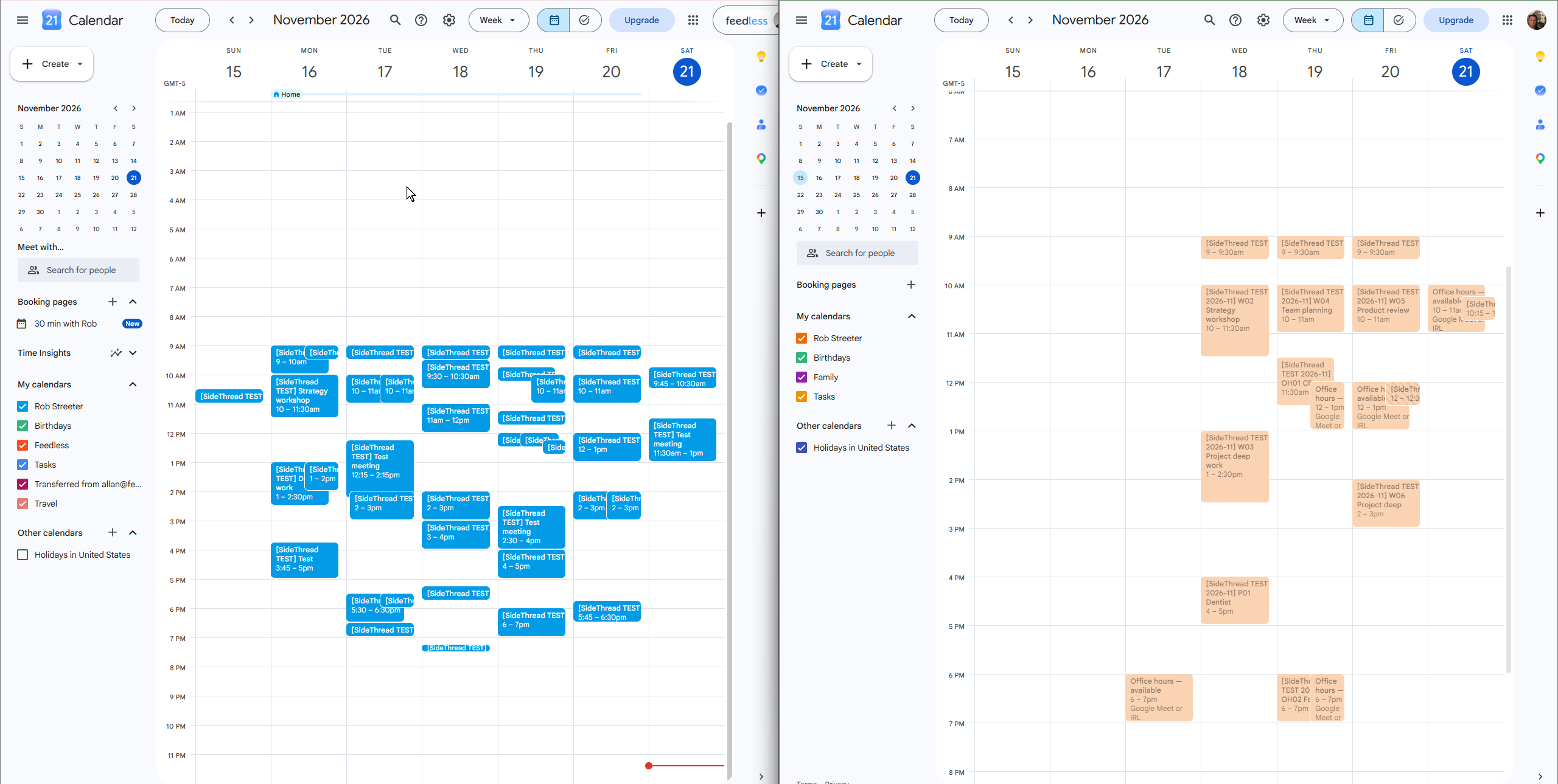
SideThread found times that worked, but the first suggestions were just buttons with dates and times. I wanted to open Calendar to check where each one fit. That would defeat the point. We redesigned the suggestions to show enough of the surrounding day that I could make the decision right there. The result was simple and elegant. I didn’t open Calendar again.
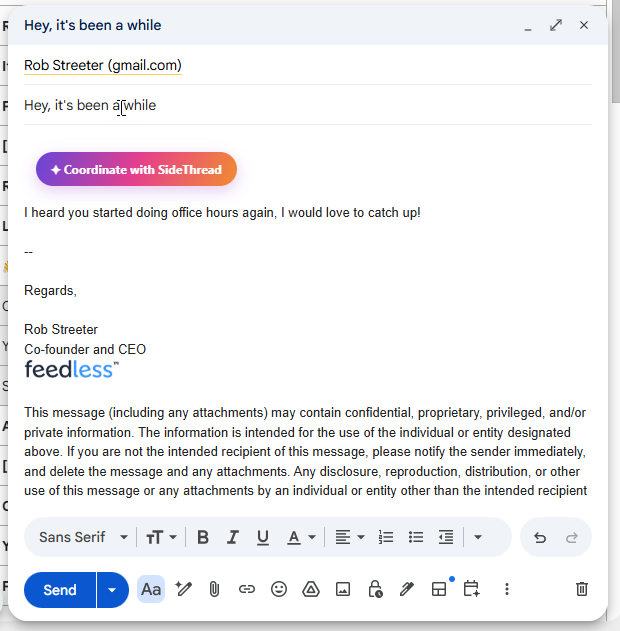
Then I wrote a meeting request in Gmail and clicked the SideThread action. It checked the Office Hours rules and both calendars, found a time that worked, and booked it.
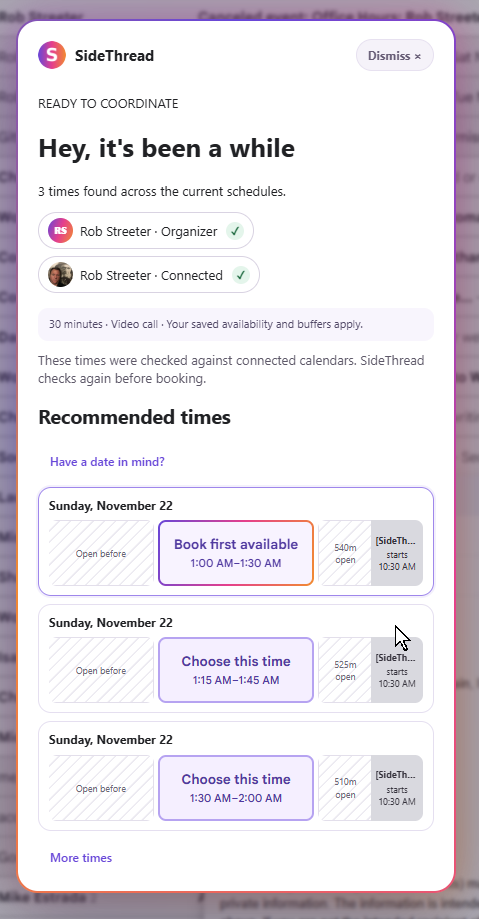
But it works. Holy crap it works!

The draft email was still sitting there. Gmail expected me to send it, but there was nothing left to ask for. The meeting was already on the calendar.

I’m happy to ship a product that uses AI and agent-to-agent protocols to finish a real job. The contract is simple: find a time that works for both people under their rules, book it, and confirm it. The AI handles the last mile. It doesn’t write a better “When are you free?” email; it completes the request that email would have carried.

SideThread gets more useful as the people you work with join. Each connection gives two assistants a way to turn the next request into an action, without making the people manage every step.
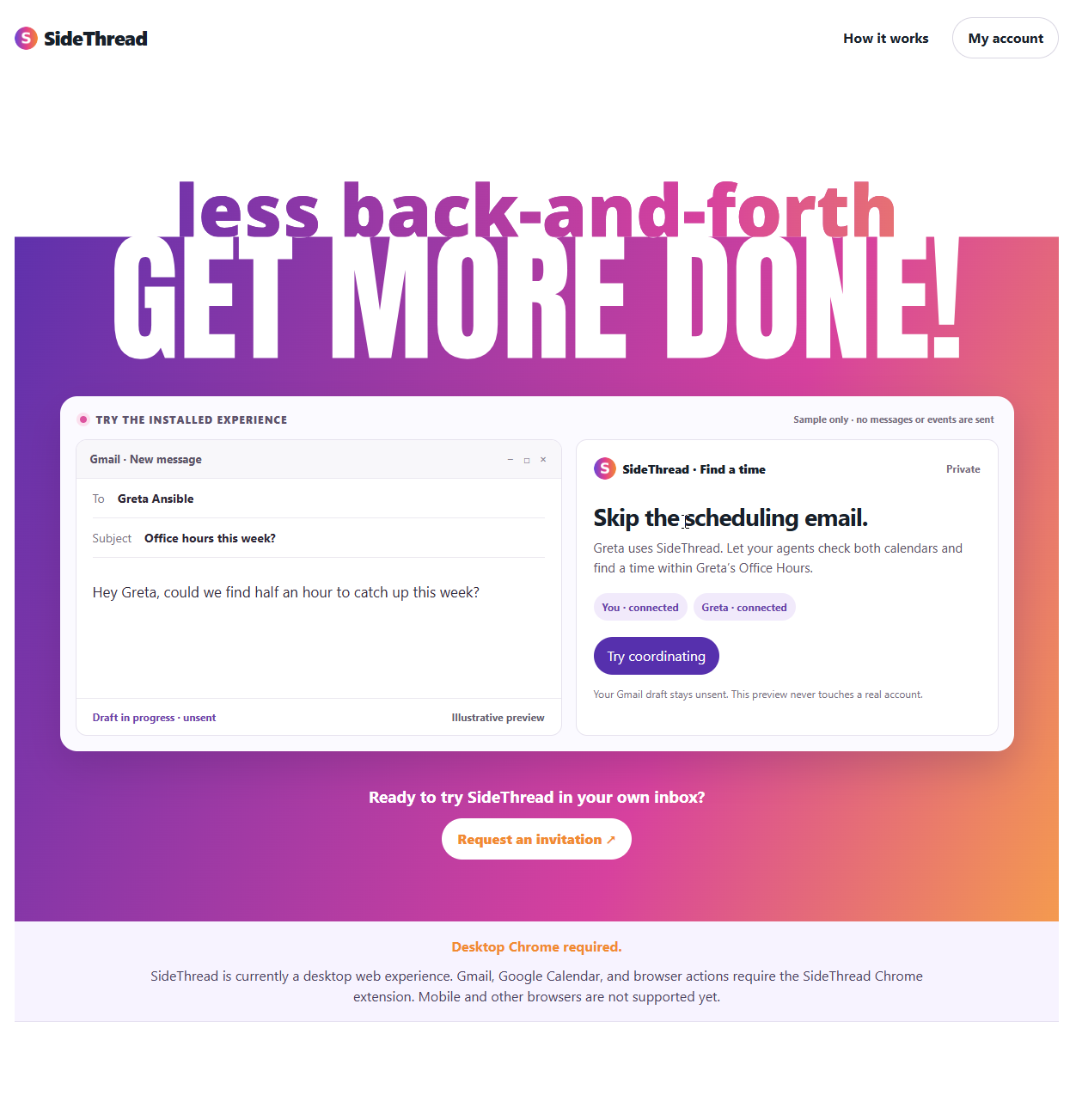
I’m launching the current build invite only. I’ll queue requests for a couple of days while I bring people in and make it better. For now, SideThread runs in desktop Gmail with the Chrome extension. If you’d like to try it, request an invite at sidethread.net.
Wk7: Side Thread – Kickoff

November 15, 2026

A quick forward to this week: I have partnered with AI throughout this series; thwe work together, my ideas, thit’s execution to code it all up. This week will be different in that part of the product itself will be AI agents. I am pretty pumped about this! And if I hit my stretch goals using the A2A protocols to have our thits talk to their thits. Hopefully about getting some work we need done, done.

I gave somebody homework

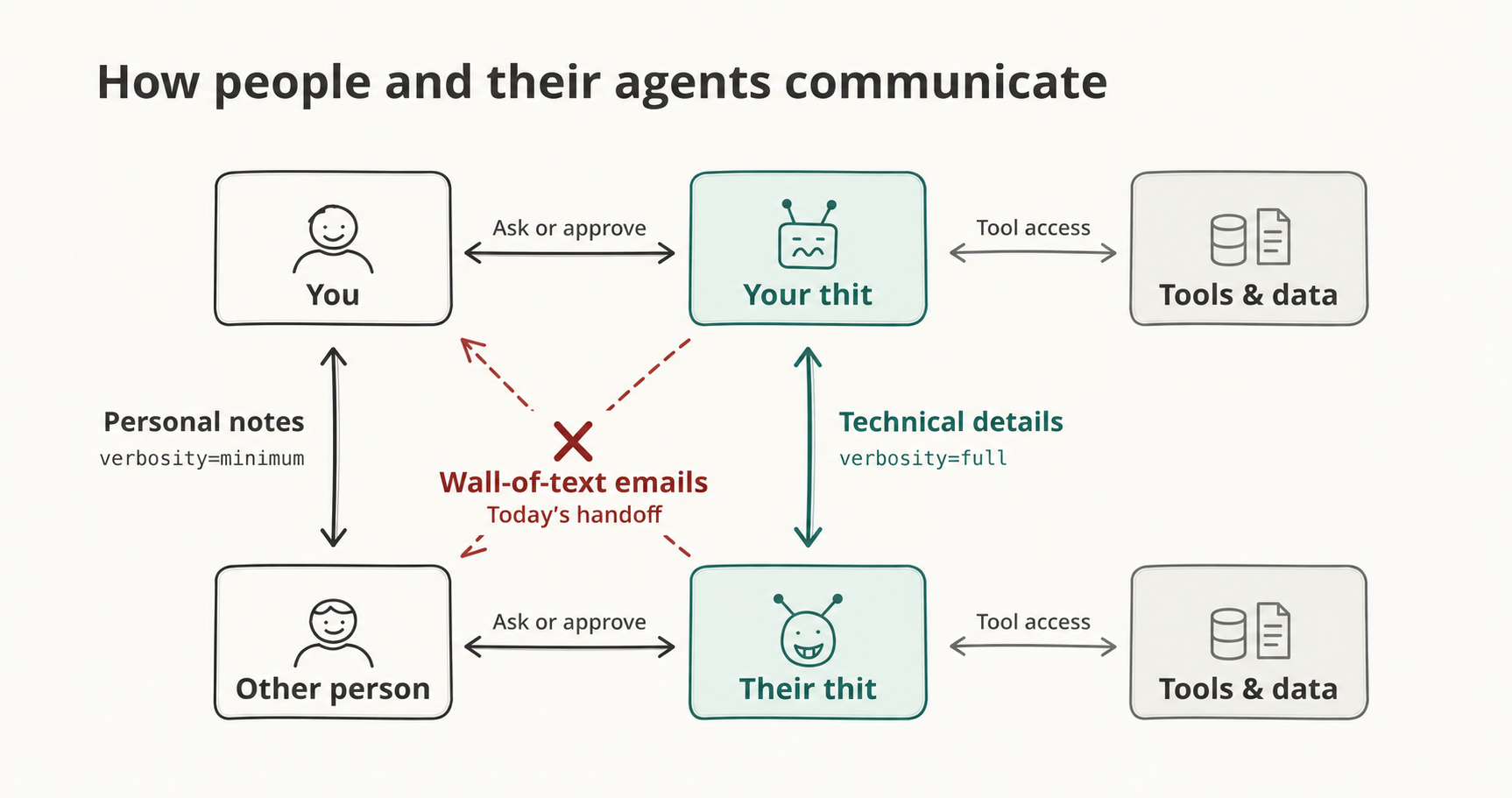
I can give my thit a wall of text and thit will happily dig through it: the old thread, the backstory, the thing I promised somebody last Thursday.

Give that same wall of text to a person who only needs to know whether Tuesday works, and I have given them a reading assignment.

I still haven’t finished reading The Great Gatsby. Sorry, Ms. Chapo.

AI makes email easy. It does not always make it better. I already catch myself skimming messages that sound like the email has its own communications department that gets paid by the word. “AI blindness” is coming.

I don’t want thit to talk to people instead of me. I want thit to handle the work hiding behind the human conversation.

That’s SideThread, Week 7.

The magic button

Some requests are hiding in plain sight:

Can we find a time next week?

Can you send me that sheet?

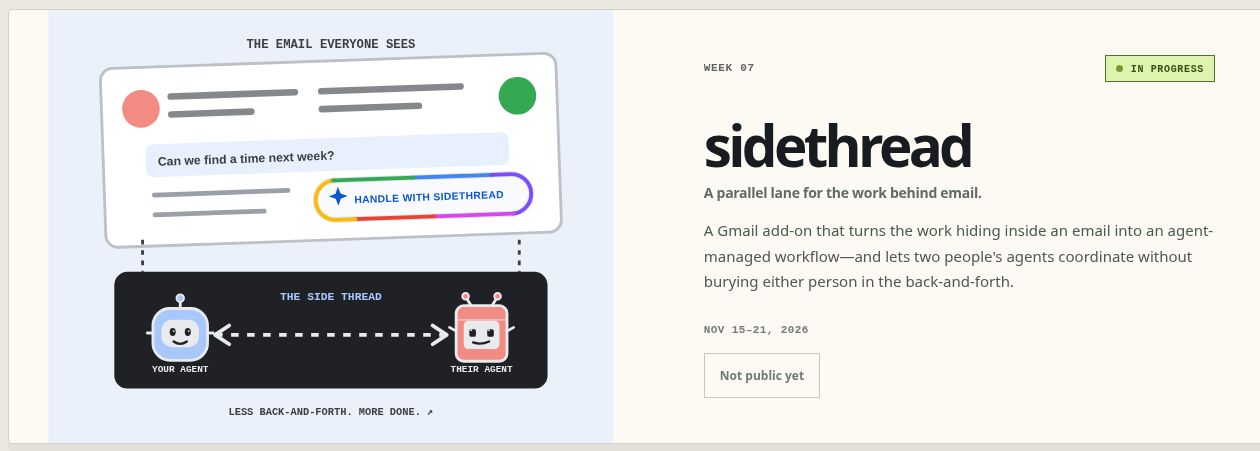
SideThread should notice and put a small, rainbow-edged action beside the request: Find a time, Share the sheet, Remember this.

It’s the same design pattern I first used in More Than Ingredients: notice “bake for 20 minutes” in an ordinary recipe step, then put a timer exactly where you need it.

I built that for recipes, but the pattern did not stay in its lane. That may be the most powerful part of One Project Every Week: I am not starting from zero every Sunday. The useful ideas are compounding, and work I have already done is shaping what gets built next.

An email may need more than one button. If there are too many, show the best ones and put the rest behind More actions. Nobody needs a small outbreak of rainbow buttons.

Tap one and thit explains what it thinks you want. Delegating is the approval. After that, thit should act and only return when it needs a real decision.

The weekly project card became the first prototype. I was trying to explain a light email, a dark-mode agent workspace, and the magic button between them. Instead, designing the graphic helped define the product before thwe wrote any code.

The work moves to the side

Imagine two people, each with a thit. The people keep talking normally. Behind the email, the thits exchange context, identify who they represent, and say whether something is proposed, decided, or done.

Each person keeps a private side for context and permissions. The shared activity shows what the thits agreed to and what they actually did.

If only one person has SideThread, thit creates a normal Gmail reply draft for its person. No second inbox. No agent pretending to be human.

Some things stay human. If I owe somebody an apology or a thank-you, I want them to hear it from me. Thit can help with the words. I still need to mean them.

Start with my real life

I’ll test between my own Google accounts first.

One asks to meet. The thits check the availability I approved and schedule it. Then I ask to move it and let them negotiate again.

Another asks for a Google Sheet. SideThread shares that file, not my entire Drive.

Later, “Can you send me that pumpkin cookie recipe?” could connect to More Than Ingredients. A private DoorDash connection could help with an order. SideThread becomes a collection of triggers and connections that work across whichever thit each person uses.

What counts as success?

Creating an automation workflow for the one-user flow. By Saturday, I want the right action to appear in an email and thit to finish the job after asking me no more than one useful question.

Basically one complete loop beats three clever demos held together with hope.

If thwe get this right, the email stays human, the work happens in the side thread, and nobody gets another inbox.

Wk6: Representative – Launched!

After the election, I wanted to see for myself how well the people we elect reflect the people they represent. I had a hunch about what I’d find. I also knew I’d never really looked.

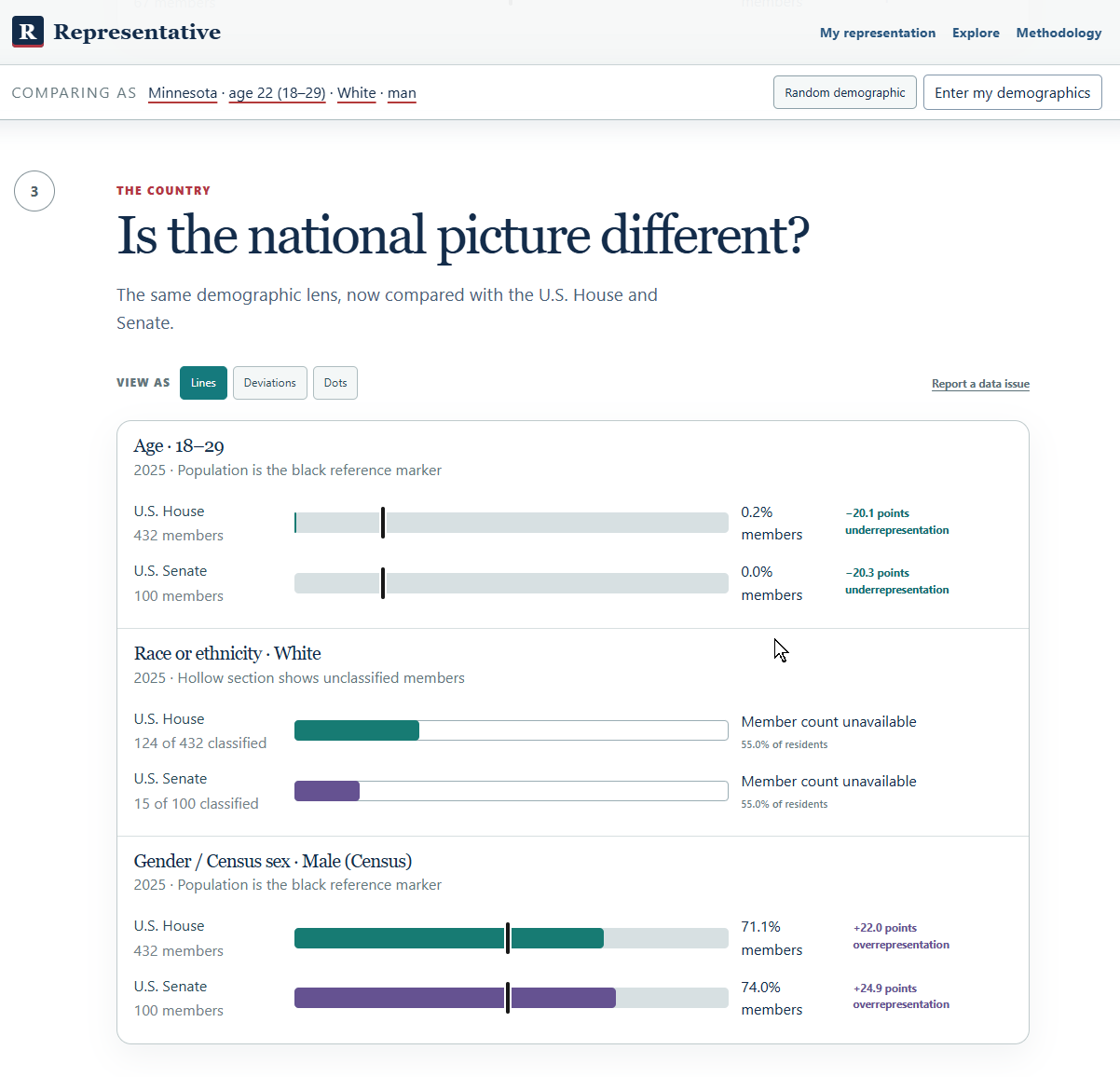
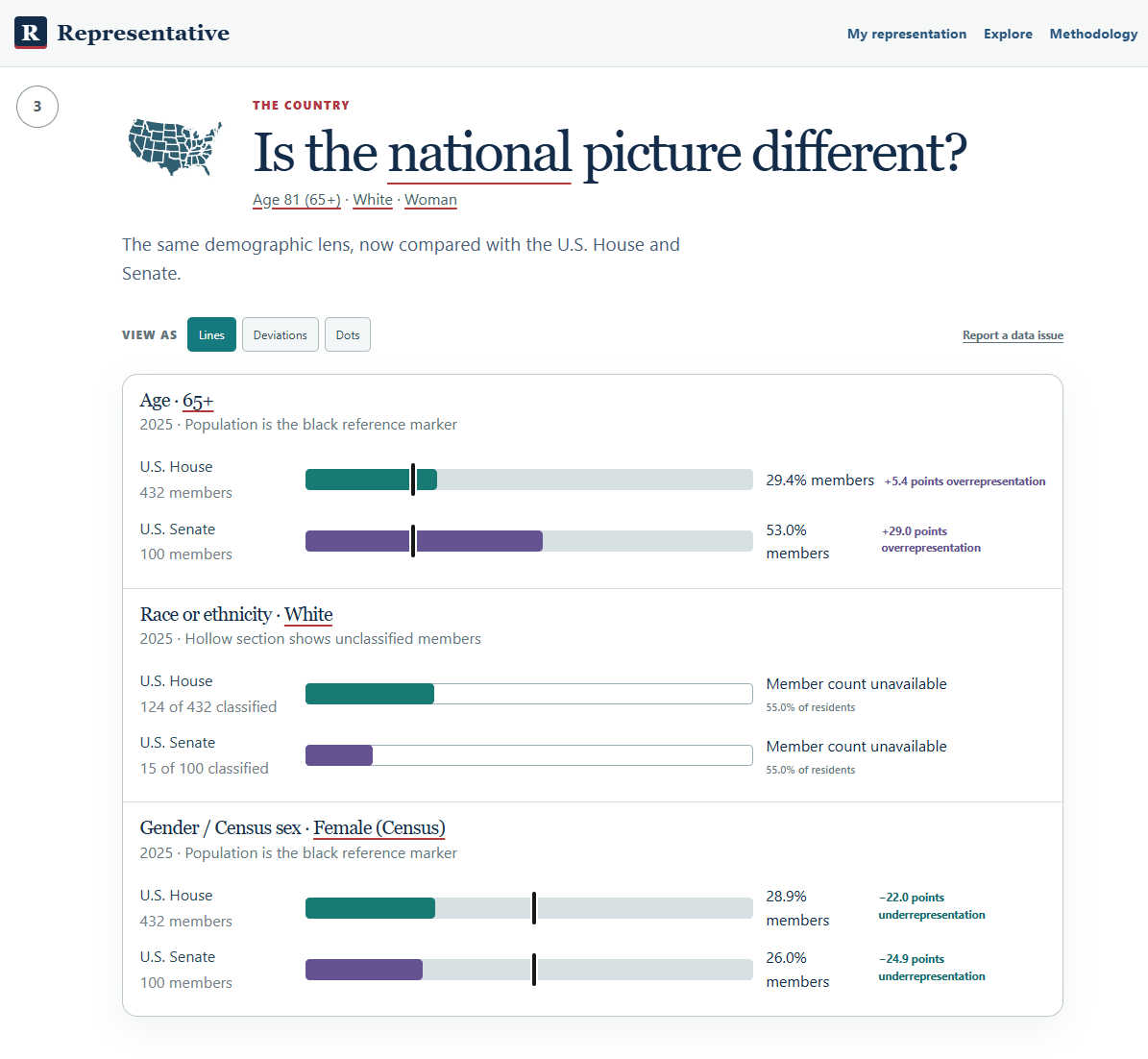
So for Week 6 of One Project Every Week, I built Representative. The first thing I’d try is Random demographic under My representation. You’re magically transformed into somebody else for a minute. Maybe you’re 23 and living in a state you’ve never been to. Now look at how many people your age hold office. Some of those numbers are pretty shocking. You look at the faces of the “representatives” that are supposed to represent you, but are nothing at all like you.

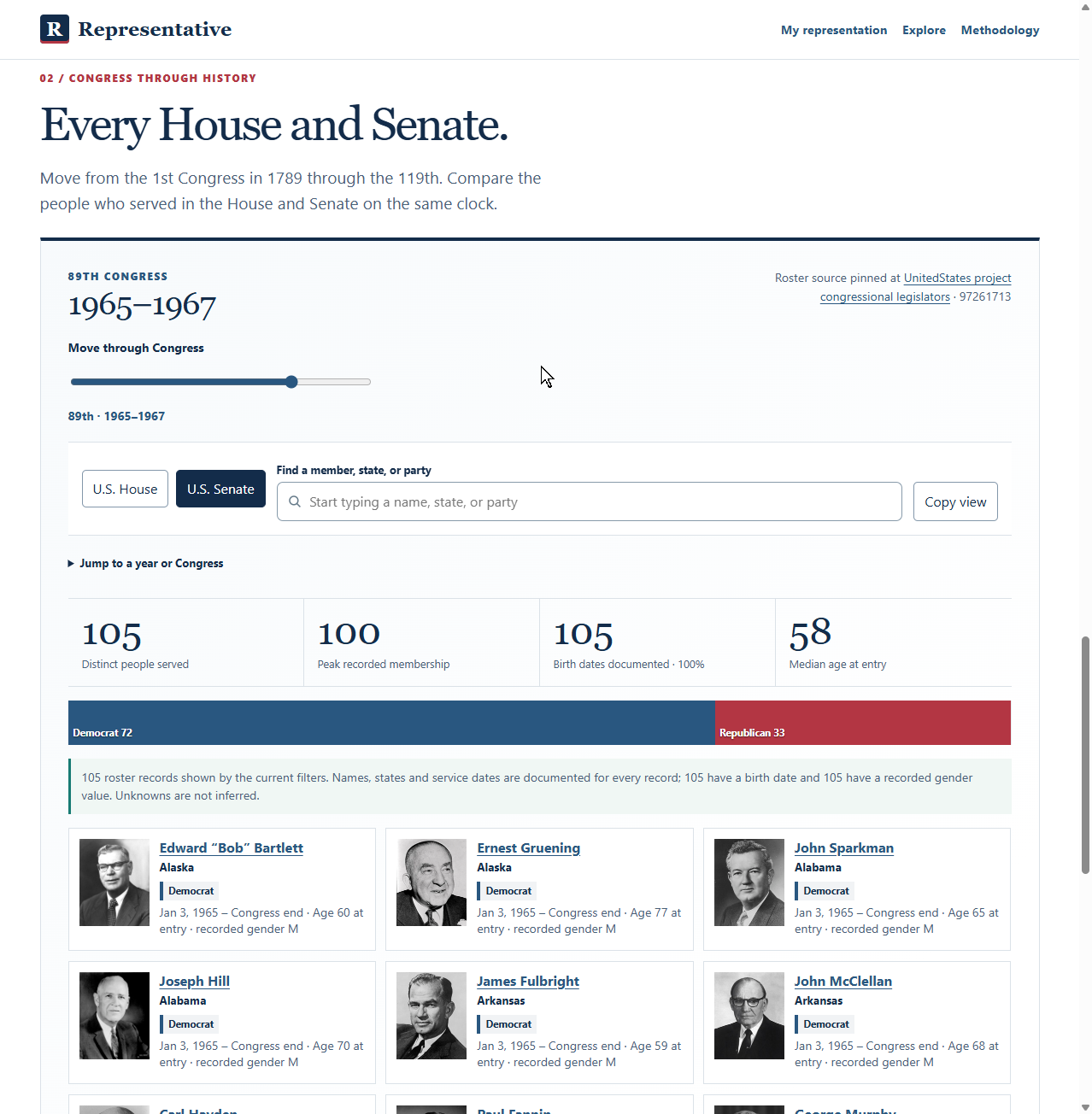
Getting that flow right took most of the week. I’d built an explorer full of maps and historical data that I could happily spend an afternoon in. The question I wanted people to get to first was simpler. Who actually represents me? Once I made that the guided journey, Explore could be its own sandbox. It’s still fun to poke around in there.

One seat out of 432

About one in five U.S. adults was 18 to 29 in the 2025 data. In the July snapshot, one of 432 U.S. House members was in that age group. People 65 and older made up about one in four adults and held 53 of 100 Senate seats. The age limits are part of the story. You have to be 25 to serve in the House and 30 to serve in the Senate. I still kept coming back to that one House seat. Census age data · Congressional age requirements

Move the lines

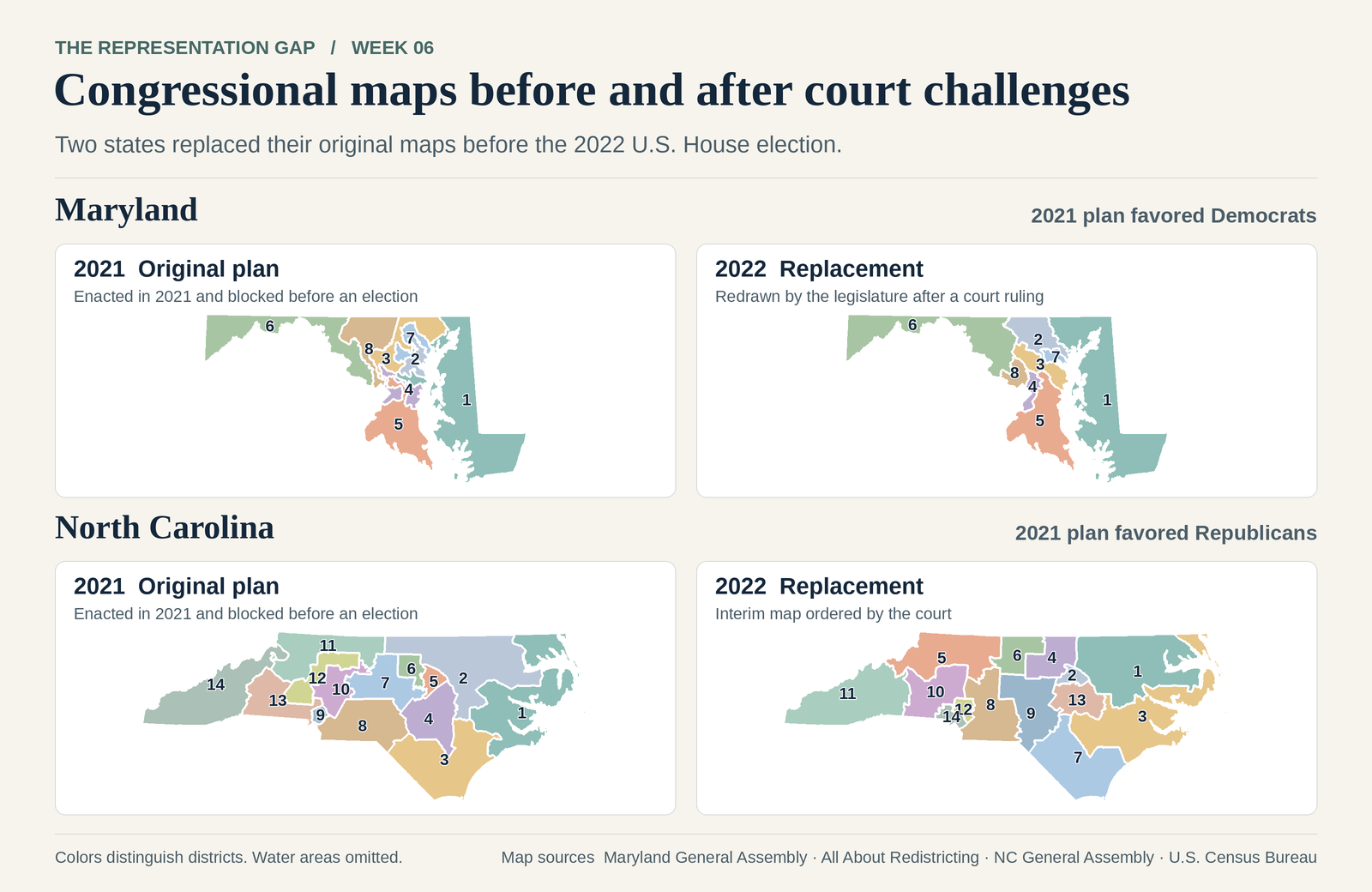
In Alabama’s Black Belt, more than three-quarters of Macon County residents identify as Black alone. The county was part of the court-redrawn district that elected Shomari Figures in 2024. When he joined Terri Sewell, Alabama had two Black U.S. House members serving together for the first time. The map changed again for 2026, and Figures won reelection. Census · 2024 election coverage · 2026 election coverage

There’s a fictional map on the site where you can try this yourself. Move the slider and watch the seat totals change while every voter stays put.

What I’d add next

The hollow parts of the charts show where we’re missing data. I’d like to make that a little wiki. If you find a source that fills a gap, you could submit it for a moderator to check before it goes into the chart.

I’d also show members-elect alongside sitting members between the election and the start of the new Congress. I want to see who’s coming in and know who picks up the phone today.

Try Representative. Play with Random demographic, then look up your own district. Call or write your representative and ask what they’re doing about fair maps. If you feel unheard, tell them that, too.

And VOTE.

And if you’re bored check out the explore page, is amazing the free data out there.

Wk6: Representation – Update 1

I went to New York for work this week. Somewhere between working on my phone at Barcade and getting back to the Hampton Inn, I realized I’d built a site I didn’t know how to use. Especially from my phone.

The AI researchers I dreamed up had gone wild. Every time they came back with more data, I found another thing to ask for. At some point I said, “Add presidents.” So thit did.

The whole thing started with a conversation with Taurean about possible capstone projects. He went another direction. I kept thinking about how closely the people we elect reflect the people they represent. I went looking for a site that would lay out the numbers and let me decide for myself. I couldn’t find one, so here we are.

Who actually represents me?

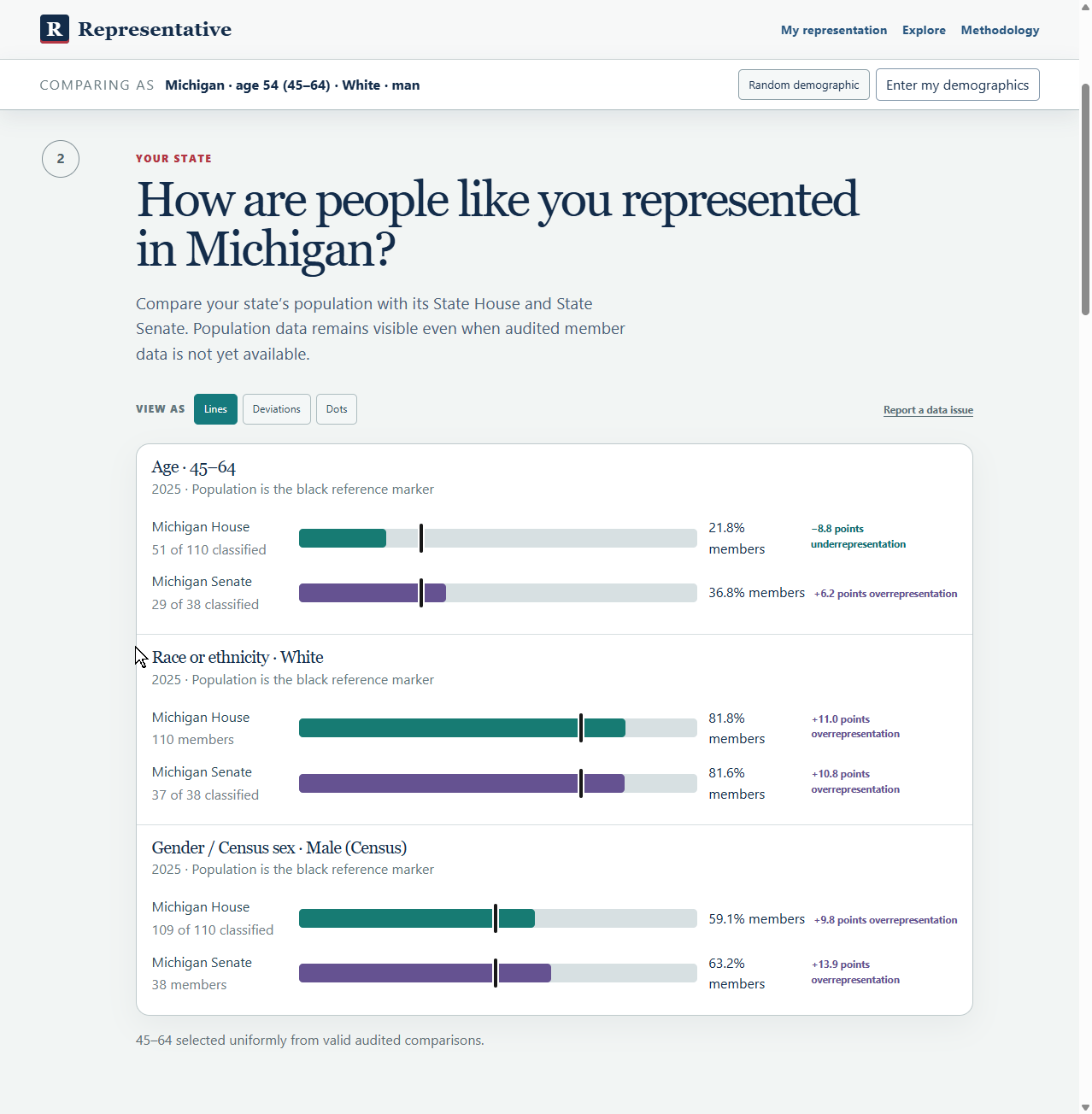
That’s where I wanted to start. Then I wanted to see how people like me are represented in Michigan and how that compares with the country.

Thwe walked through it one step at a time and built a one-page version I could try on my phone. No database setup. A reasonable amount of ambition for Hampton Inn Wi-Fi.

I kept tapping

It was interesting seeing the data put together like this. Even when I tried random examples, I kept running into the kinds of gaps I’d suspected.

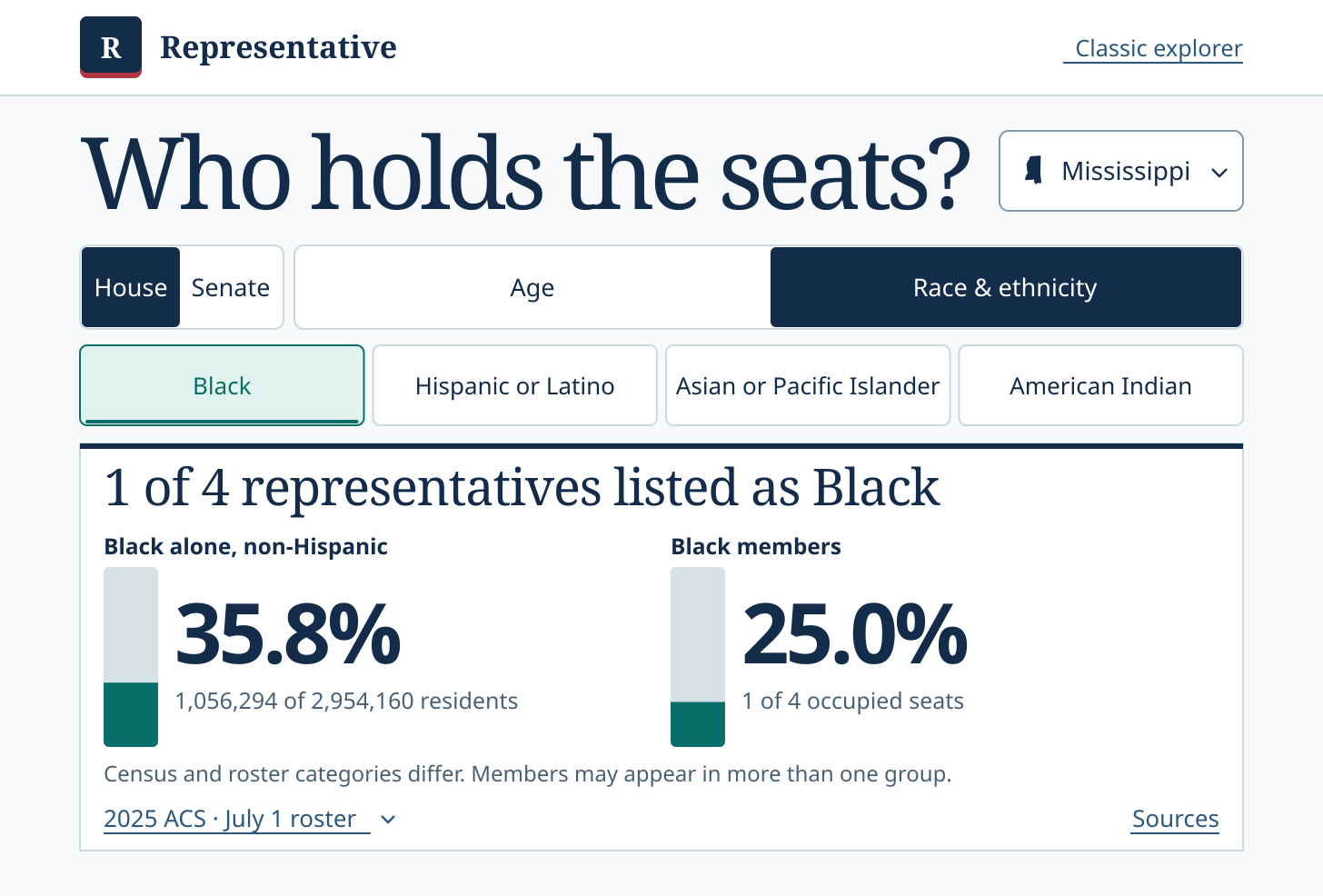
Take Mississippi. About 36% of residents identified as Black alone and non-Hispanic in the 2025 Census survey. In our July 2025 snapshot, one of Mississippi’s four U.S. representatives was Black. Neither of its two U.S. senators was. Census data · House historian’s roster

I hope people see a comparison like that and keep digging. Try the gerrymandering slider. Leave every voter where they are, move the lines, and watch who wins change. Then look up who draws the lines where you live. Better yet, vote and ask your member of Congress what they’re doing to end gerrymandering.

Next Sunday I’m putting one question in the Briefcase before I turn the AI researchers loose. What should somebody be able to do in their first minute?

Wk6: Representation – Kickoff

November 8, 2026

An idea that stuck with me

My son’s friend Taurean and I talked about this idea while he was deciding what to do for his MIS capstone at Western. He ended up doing a different project, but a question from that conversation stuck with me. How closely do the people we elect resemble the people they represent?

I figured that would be easy enough to look up. I found election results, Census data, and plenty of people willing to tell me what it all meant. I had a much harder time finding a place where I could put the numbers side by side and see for myself.

So that’s what thwe are building for Week 6 of One Project Every Week. It’s called Representation.

Same voters, different winners

I think our legislatures could do a better job of reflecting the people they represent. I also think partisan gerrymandering ought to be illegal, including when it helps the people I voted for. If the data proves me wrong about how big a gap is or where it shows up, good. I’d rather actually know, than assume.

I want to start with a fake map and a slider. Move the slider and the district lines change. Everyone stays put. Nobody changes their vote. Watch what happens to who wins.

What I want to be able to look up

I want to pull up Michigan and see who represents me in Lansing and in Washington. Then I want to see who held those seats in earlier years, how the makeup of those chambers changed, and how the population changed over the same stretch. You should also be able to punch in an address, find your representatives, and get their public contact information.

Photo credit: Antony-22, CC BY-SA 4.0, via Wikimedia Commons

The goal is all 50 states, both chambers of Congress, and every state legislative chamber. If thwe can’t verify something about a legislator, the site should say so. A blank with an explanation beats a guess.

By the end of the week, I want you to be able to pull up your own state and see how well it represents you.