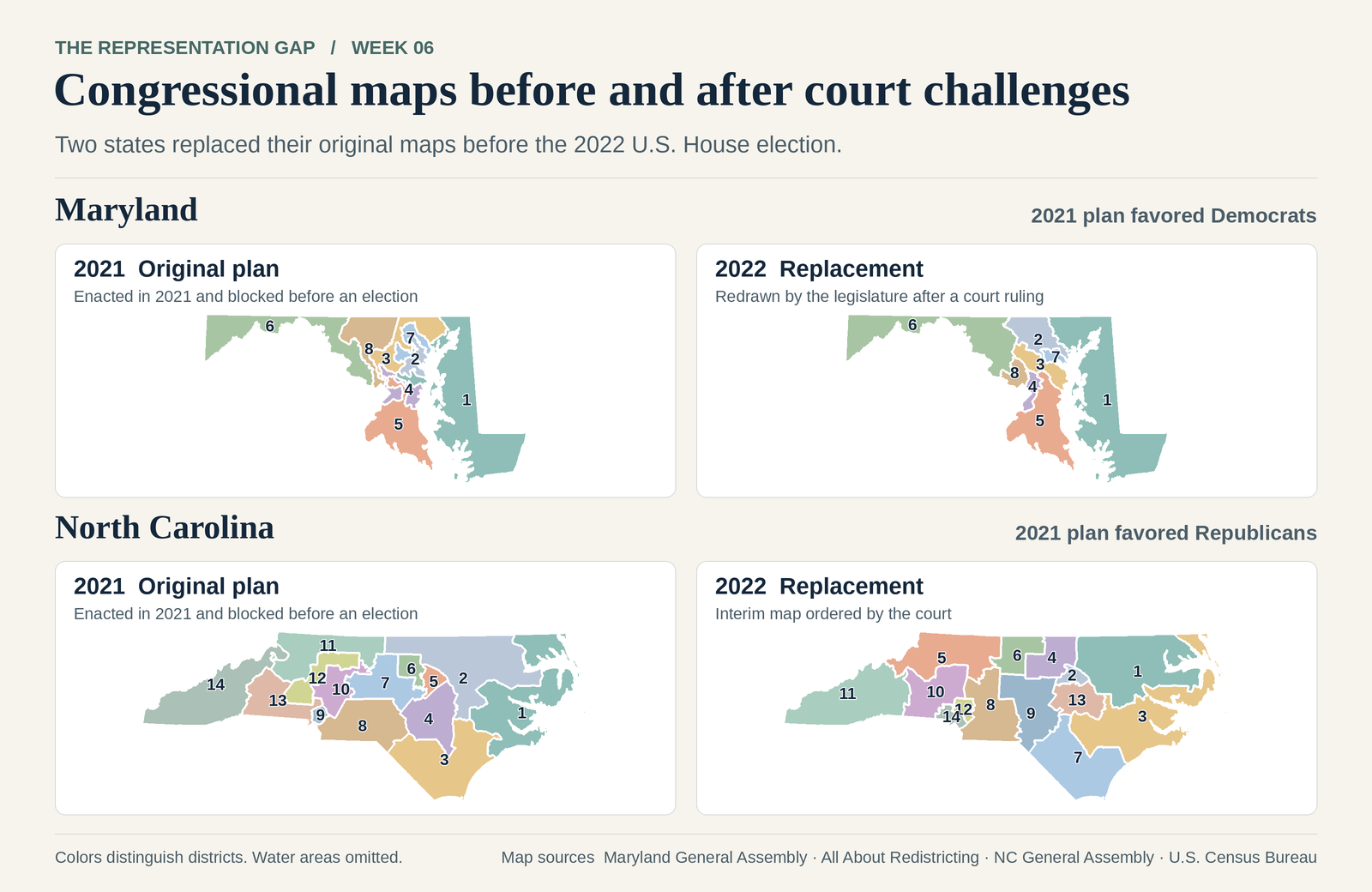
My son’s friend Taurean and I talked about this idea while he was deciding what to do for his MIS capstone at Western. He ended up doing a different project, but a question from that conversation stuck with me. How closely do the people we elect resemble the people they represent?
I figured that would be easy enough to look up. I found election results, Census data, and plenty of people willing to tell me what it all meant. I had a much harder time finding a place where I could put the numbers side by side and see for myself.
So that’s what thwe are building for Week 6 of One Project Every Week. It’s called The Representation Gap.
Same voters, different winners
I think our legislatures could do a better job of reflecting the people they represent. I also think partisan gerrymandering ought to be illegal, including when it helps the people I voted for. If the data proves me wrong about how big a gap is or where it shows up, good. I’d rather actually know, than assume.
I want to start with a fake map and a slider. Move the slider and the district lines change. Everyone stays put. Nobody changes their vote. Watch what happens to who wins.
What I want to be able to look up
I want to pull up Michigan and see who represents me in Lansing and in Washington. Then I want to see who held those seats in earlier years, how the makeup of those chambers changed, and how the population changed over the same stretch. You should also be able to punch in an address, find your representatives, and get their public contact information.
The goal is all 50 states, both chambers of Congress, and every state legislative chamber. If thwe can’t verify something about a legislator, the site should say so. A blank with an explanation beats a guess.
By the end of the week, I want you to be able to pull up your own state and see how well it represents you.
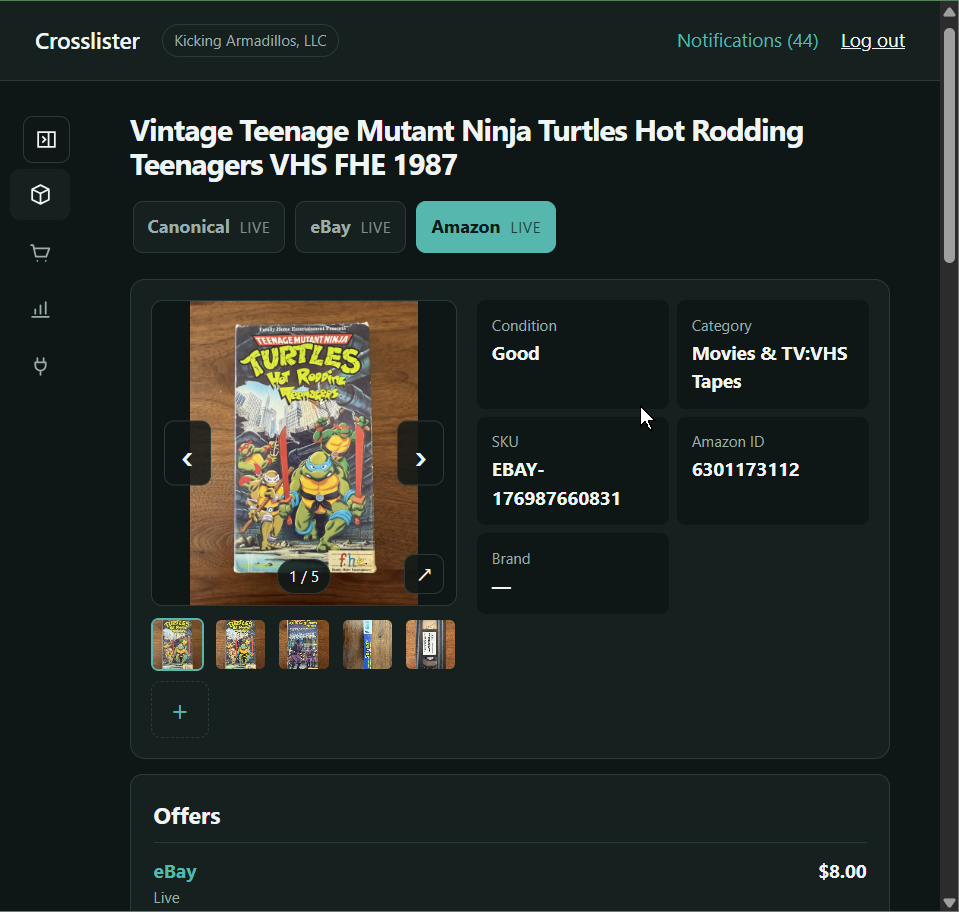
The first thing I successfully cross-listed with Crosslister was a vintage Teenage Mutant Ninja Turtles VHS tape. I’d gone digging through old inventory for something Amazon would still let me sell. A lot of the books I’d sold there before were now gated. The Ninja Turtles, apparently, were fine.
I had pretty much given up on Amazon as a selling channel. I still think it’s a good place to sell certain things. Used books used to be among them. Does the world really need another brand-new copy of StrengthsFinder?
Anyway, back to the turtles. I checked Seller Central and couldn’t find my offer.
Back into Crosslister, add the offer details, try again.
There it was. I’d forgotten how satisfying it is to make a computer do something useful after spending most of the day trying to get permissions to even try.
I’m connected, now what?!
On eBay, I finally got to the production keys only to find out they were disabled until I set up an account-deletion endpoint. Whatever that is. I was trying to put things on eBay.
Amazon sent me looking for a merchant token. I found it, connected the account, and queued the import. Fingers crossed. Toes too. I have long toes.
The import threw errors anyway. Of course.
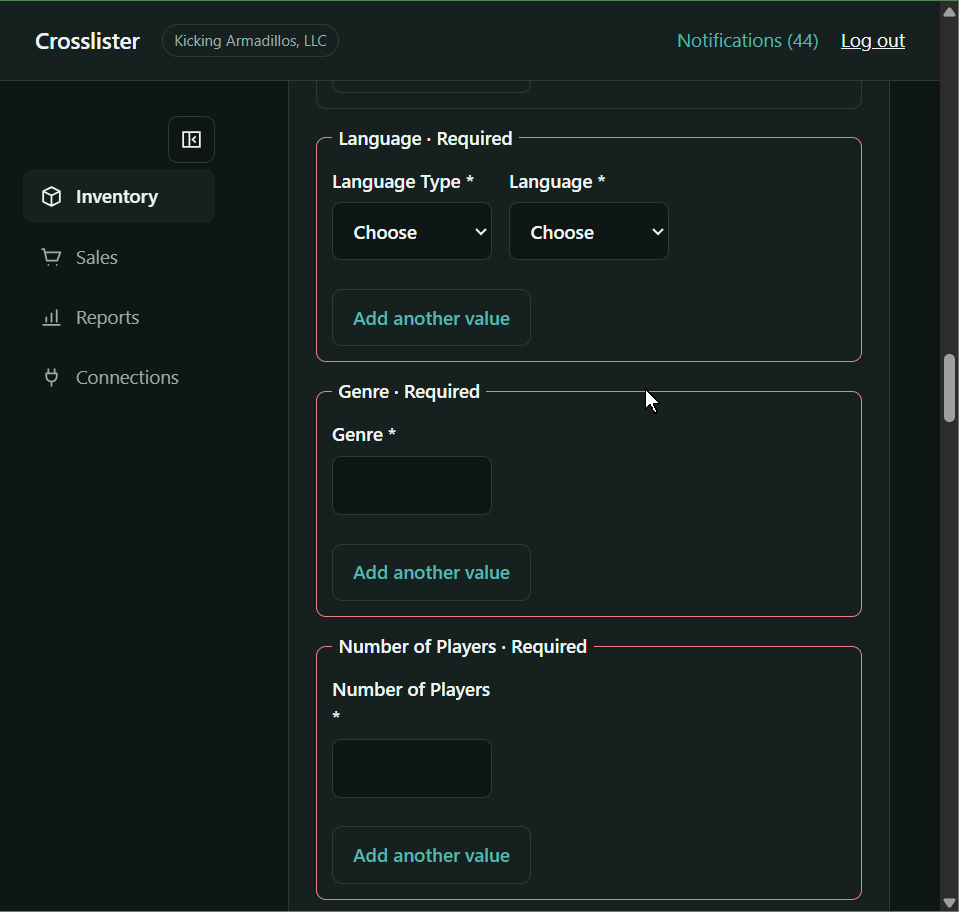
Once we got past that, I tried creating a new Amazon catalog entry for a role-playing module. “Tabletop games” was probably too broad a category, which was my part in this. But some of the required attributes had so little to do with the thing in my hand that I couldn’t tell what a truthful answer would even look like. A dropdown at least told me what answers Amazon thought were possible. A blank text box just gave me more room to be wrong.
The way thwe got it working was to send Amazon the basics, read the rejection, and turn whatever it asked for into fields I could fill in. Thit and I had effectively made an error message into a form.
I used to work at Amazon. I know people on that team. I’d love to sit with somebody who works on that API and hand them the module. Create the ASIN from scratch using the API. I’ll bring coffee.
And yes, some of this mess is ours. If we want people who aren’t named Rob or Sherry to use Crosslister, Connect should get them to a sign-in, a permission screen, and then their inventory. If they have to go find something, take them to the right page and tell them what it’s called. I had enough trouble finding it, and I’m the guy who asked for the button.
The previous weeks didn’t stay put
Thwe got distracted by More Than Ingredients and Sixward, too. People were using both and giving me feedback. Then I tried uploading a picture of dinner from my iPhone and hit a hidden 20-megapixel limit. I had already made dinner. I was willing to crop the picture. Resizing it myself felt like doing dishes twice, so we worked on making the browser handle it.
On Sixward, I played an unranked game, got a personal best, and opened My High Scores. There was my new score, all by itself. I knew I’d played other games. I wanted the scores together, with a little marker for the ranked ones. So thwe spent part of Week 5 working on Weeks 3 and 4. I suppose I could ask people to stop using things on Sundays.
Only live listings go downstairs
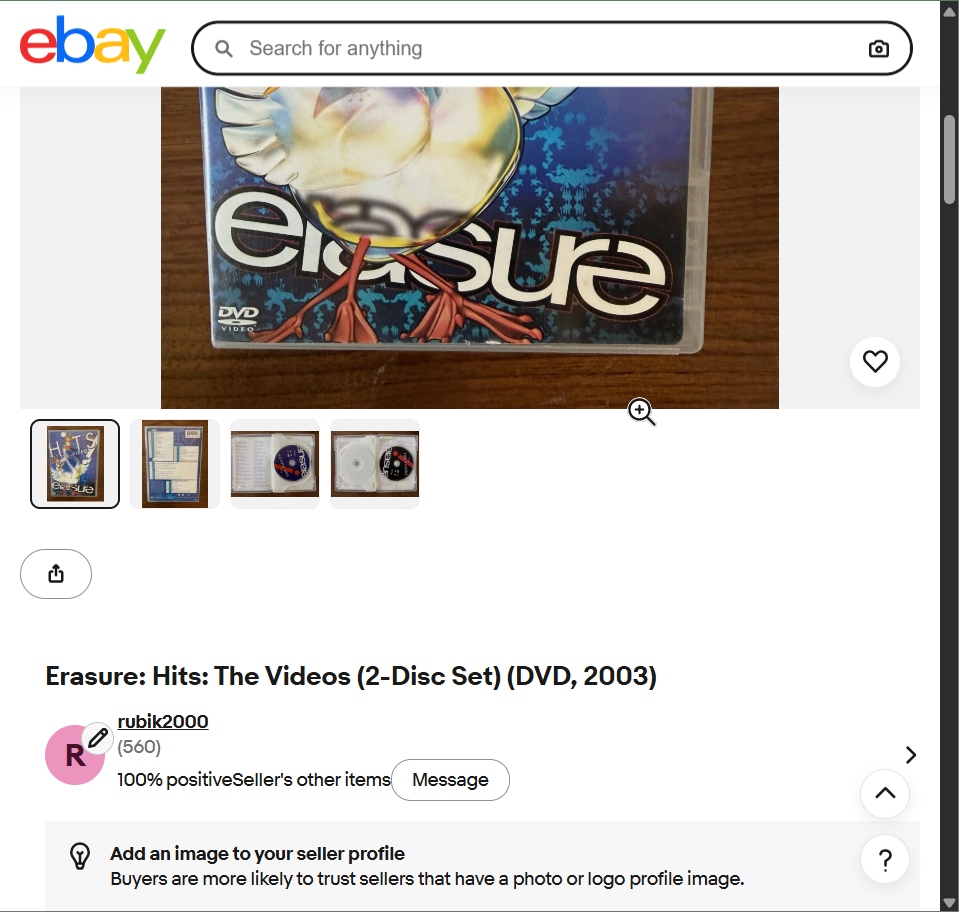
I pulled an Erasure Hits! The Videos two-DVD set out of the basement to see how far I could get with something I’d bought but never listed. I scanned the barcode, checked what other copies were going for, took the photos, and filled out the eBay listing. I hit publish. eBay wanted the weight and dimensions of the package.
Fair enough. But, why hadn’t thwe asked me for those?
There’s a lot of stuff downstairs that got as far as “I’ll list that later.” Some needs photos. Some needs a little more work. Is that used puzzle complete? There’s only one way to know, which explains why it’s still downstairs.
So I have a new rule. Only things with live listings go down to the basement. When I get home from thrifting, I want to get the cost off the receipt and take the pictures while the stuff is still in front of me. I’ve given Future Rob plenty of chances to take it from there. You should see his basement. So orderly…
I want to see whether I can get enough of the right inventory onto Amazon to make it worth selling there again. I also want to get Poshmark and some newer marketplaces connected for both of us. Sherry has plenty of listings to try this on. Can she reprice or relist the stuff that’s been sitting, and get some of it onto eBay without spending an afternoon copying listings?
This project is going to take more iterations from use before I would feel comfortable sharing.
I think I’ll go thrifting in my own basement first. I hear the owner is motivated to move some merchandise!
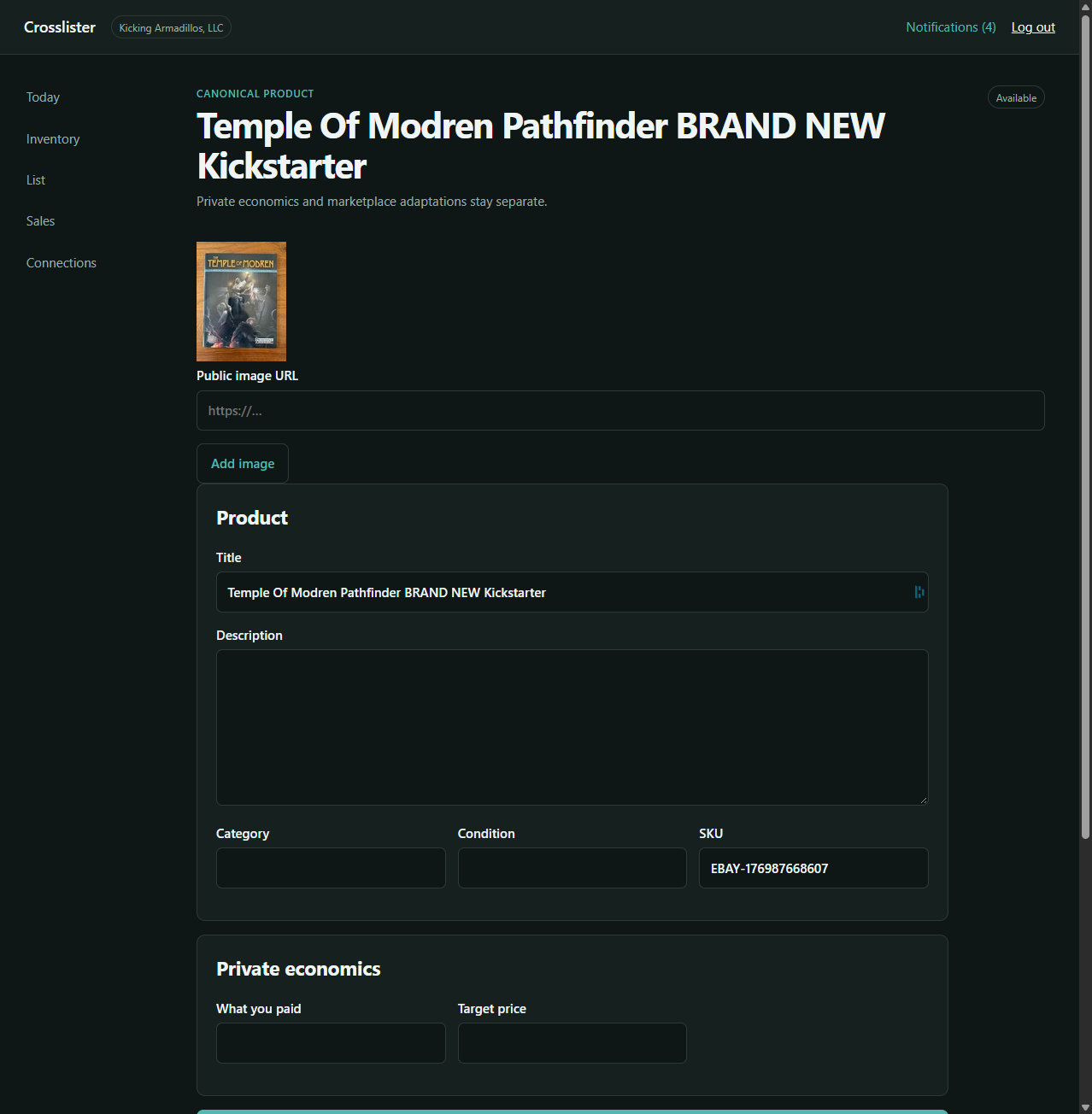
The first thing Crosslister pulled in from my eBay account was Temple of Modren, a gaming module I got through a Kickstarter from my former coworker Mark Tassin. I wish I had more friends who played games this geeky. Preferably, with me.
My eBay listing had five photos and a description. Crosslister showed me a pixelated thumbnail and a few fields that technically covered my original ask. The one time I give it a nugget and hope for a fully working solution in the first build. Welp. Not this time.
That was my miss in discovery. We’d agreed to import my eBay listings without agreeing on what data the import had to bring over. In hindsight, keeping the first pass small may have helped. I got my developer account, connected my real seller account, and had a live app I could almost test.
The cron job had plenty to do
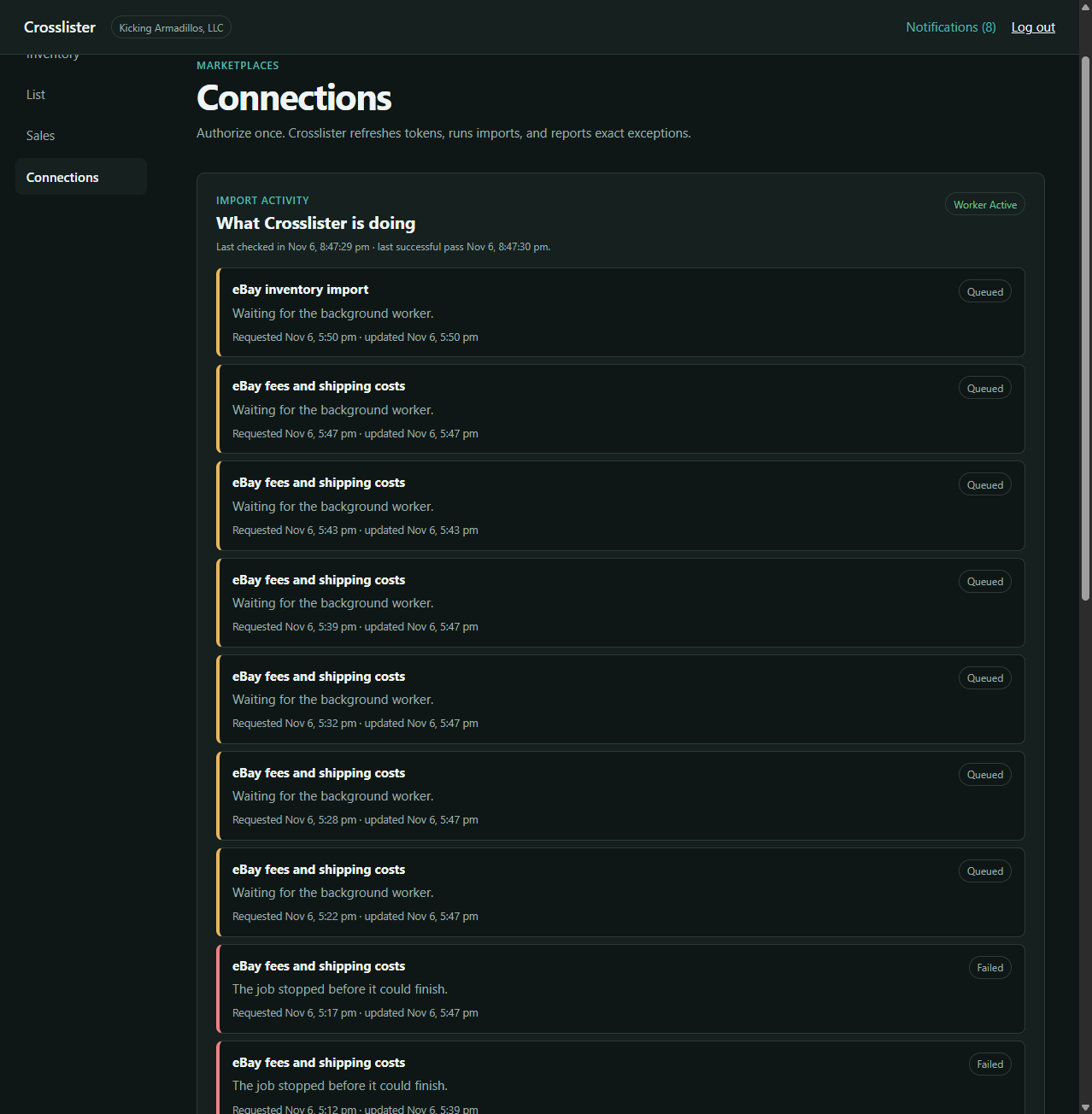
When I first clicked Import eBay, Crosslister said the import had started. What it had actually done was put a job in a queue. The job was waiting for cron, which is how I run all my automations (for now). I suspect there’s a better way. I was about to collect some evidence.
One of my favorite movies as a kid was Conan the Barbarian. It had Arnold, swords, giant snakes, damsels in distress, and Crom! Everything a teenager in the 80s would want in a film really. I am wondering maybe Arnie said “cron” the whole time…
Once crom, I mean cron was running (I think), it had plenty to do. Find my active eBay listings. Go back for photos, descriptions, and the rest of the listing details. Check for new orders. Pull the financial activity so I could eventually see what I’d made. All reasonable jobs on their own. Together, with nobody deciding who went first or checking whether the same job was already in line, it was a free-for-all. The finance checks were piling up faster than they could finish, and the inventory import I was sitting there waiting for had to get in line behind them.
The queue needed a couple of basic rules. If a finance check is already waiting or running, one is enough. If I click Import eBay and sit there looking at the screen, maybe let that job go first. After a few changes here and a few there, we got all 34 products in. The import updated the existing records without creating a single duplicate.
And I’m still getting those damn cron emails. I thought I turned them off. I’m going to try that again. I can’t believe we used to run entire workflows by emailing each other processing updates. I guess Slack is the new email. Progress?
I want to fix the listing where I’m looking at it
I know some of my listings could be better. If I’m looking at one in Crosslister and see a title I want to clean up or a category I want to change, I want to do it right there. My bar for the editor is simple. If eBay lets me change it, I want to be able to change it in Crosslister. The whole reason I’m building this is to cut down on the number of systems I have to touch.
The work starts before eBay
After a thrift run, I sit down with my loot and the paper receipt. I scribble down which item goes with each line because, on a good day, the receipt tells me the department and the price. Once I’ve cleaned everything up and peeled off the price stickers for photos, trying to work backward from the receipt is a fool’s errand.
I want to do that on my phone while everything is still in front of me. Record where and when I bought each item and what I paid. Scan a barcode, when there is one, to get a head start on the listing. Today I often search eBay, filter to recently sold items, find the closest match, and click Sell one like this. Then I clean up the title and description and add my usual notes about checking the photos for condition and sending offers. Finding a good match saves me work, and I still get to decide what the listing says.
My spreadsheet is also how I figure out whether any of this was worth doing. I’ve gravitated toward smaller items because they’re easier to ship. I still find terrific vintage board games, but if I have to make a box and guess what it’ll cost to send, the margin can disappear fast. Even with small games, I’ve backed off when I can’t see about $10 in profit per item. Sometimes I buy something truly special anyway because I want it to go to someone who’ll really appreciate it. I’d just like to know when I’m doing that.
Sherry would like her time back
Sherry has more than 400 Poshmark listings. The first work she’d hand over is the sharing, liking, and following back she feels pressure to keep up with to stay visible. Those actions are easy to count. It’s harder to point to what another round of them did for her business. Time is money, and she has better uses for hers.
Where I landed so far
Crosslister is live, my eBay account is connected, and real listings are coming in. I still have to test the sourcing workflow with my own inventory. Tomorrow I’m planning to connect Amazon. I have a few things listed there that aren’t on eBay, and a lot more the other way around. That gives me a real catalog to compare as soon as I get connected.
The test I set at kickoff still stands. I want to sell something on a marketplace where I wouldn’t otherwise have listed it, then see Crosslister take down the other listing so I can only sell it once.
For Week 5 of One Project Every Week, I’m working on Crosslister. That’s the working name. We’ll worry about naming it once it earns one.
The idea: Sell everywhere from one “home” marketplace.
Two sellers; same-ish problem
I’ve always thrifted, mostly for myself. I enjoy finding something interesting, useful, or overlooked.
Sometimes a janky Jensen tape player to load software onto ancient computers…
Over the last few years, I started buying with resale in mind, with reasonable success. I sell on eBay: toys, games, vintage software, and whatever else seemed like a good idea at the moment I bought it. Some inventory is listed. Some lives only in a spreadsheet and a pile in my basement, patiently waiting for me to become a more organized person.
Finding things worth selling is the fun part, I truly enjoy the thrill of the hunt. Getting everything listed and keeping track of it, and actually selling it for a profit is where the work piles up.
Sherry has more than 400 active listings on Poshmark. She puts real work into the photographs, descriptions, and details. Getting those products onto another marketplace means doing much of that work again.
We both want more sales but less work required to get them.
There are existing tools for this. For our volume, they can feel expensive, cumbersome, or like another system that needs feeding. A side hustle should not require its own side hustle to operate.
One catalog, multiple selling channels
Crosslister will maintain one product record, then adapt it to the marketplaces where it belongs.
Sherry’s first path is Poshmark to eBay. Mine is eBay to Amazon.
Member since 1998. I’m old!
Poshmark has made poor product decisions over the years, and still does not provide programmatic access to their system like other marketplaces do. They value user engagement, but optimizing for engagement in a way that makes sellers spend all damn day sharing, liking, and following products doesn’t help you sell anymore.
Sherry’s original photographs and carefully written descriptions stay intact. Each marketplace gets the details it needs. Cost, fees, shipping, and expected profit should be available when we make pricing decisions.
And when something sells, the other listings need to come down. Selling the same one-of-a-kind item twice is a fairly efficient way to disappoint two people. Or even worse, get dinged on the strict seller performance metrics and lose your advantage.
That coordination is central to the product.
Less work, fewer decisions
I also want Crosslister to help answer a practical question: What should I do next?
An item has been sitting for months. Would a lower price still leave a reasonable profit? Is something ready to list on another channel? Is one missing detail blocking a whole group of products?
Show me the item, the reason, the economics, and a useful action. Let me decide, then handle the work.
I don’t need another dashboard to admire. I need a shorter to-do list.
Built with AI, but no AI inside (yet).
This project will be built through the same collaboration I’ve used for the first four weeks.
But Crosslister itself doesn’t need AI-generated descriptions or a chatbot. Sherry already wrote her listings. Preserving her work matters more than generating more words. Frankly the AI descriptions she gets from Poshmark are not very good. Plus I truly believe people will start to recognize AI content and become blind to it. Like “Banner Blindness” for ads, but “AI Blindness” for content.
The first recommendations can come from straightforward rules and actual inventory data. Sometimes the useful thing is knowing what not to add.
What counts as success?
A polished screen won’t prove this works. Neither will importing a few hundred records, or connecting to an API.
The test is can we get sales on new channels, or more sales on existing ones, by following system nudges a la Selling Coach in Seller Central – which I happen to know a lot about ;)
The system has to manage state, especially when something sells to ensure we don’t have cross-marketplace sales conflicts.
Marketplace connections, approvals, and different listing requirements make this a more ambitious week. The challenge is getting the whole process to work with real accounts and real inventory, without making me the permanent meat puppet between systems.
We’re starting with two sellers we know very well.
Let’s see whether thwe can help them sell something.