Week 2: Load Goblin

Week 2: Load Goblin

52 Projects in 52 Weeks | October 11, 2026

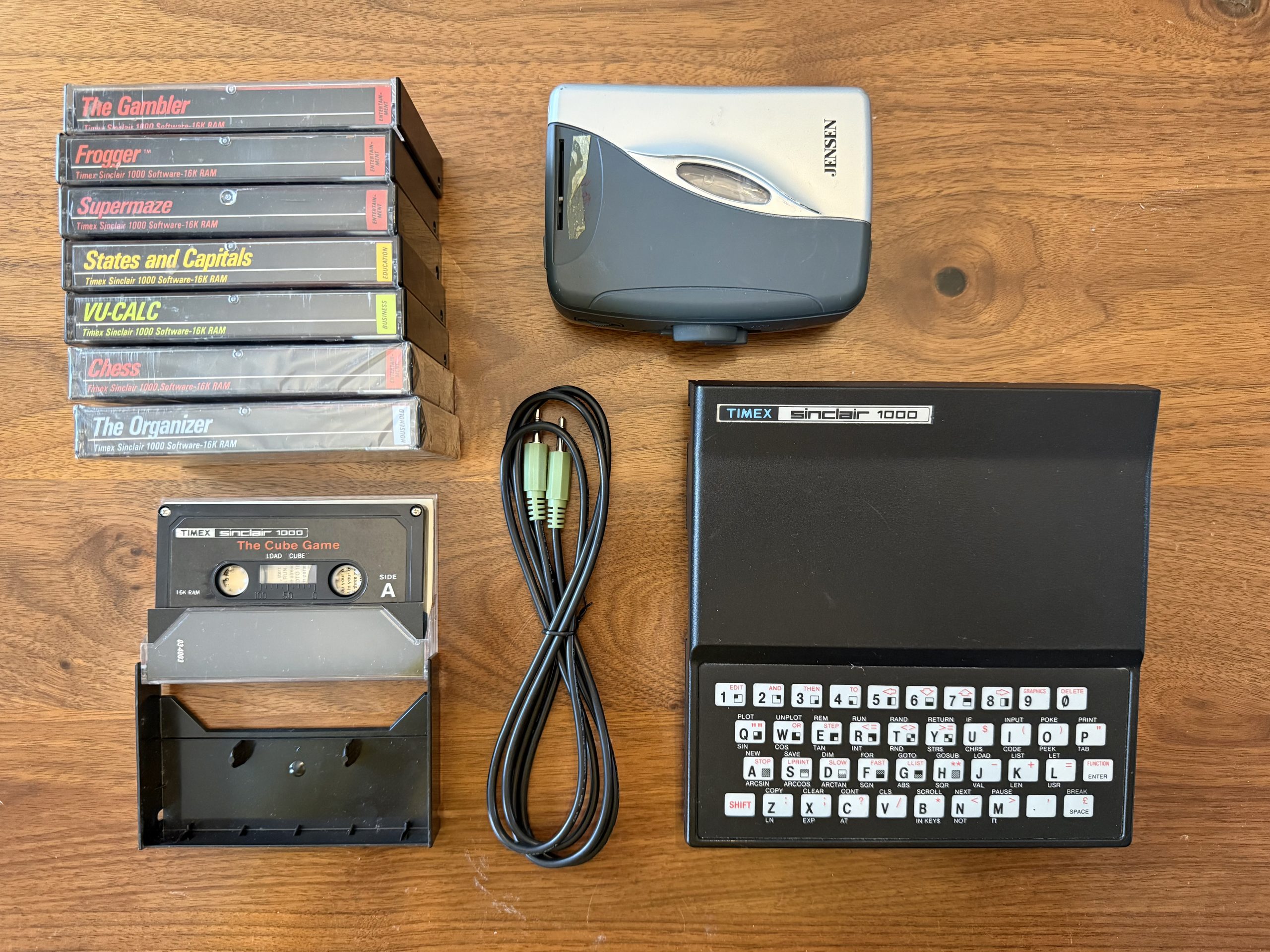
I recently bought a Timex Sinclair 1000 on eBay. It came with the computer, a 16K RAM expansion pack, a stack of cassette tapes, and that miserable little blister membrane keyboard that makes typing anything feel like punishment.
I never owned a TS1k as a kid, but my friend Bruce did.

Bruce and I, mostly Bruce, would spend hours painstakingly typing BASIC programs from magazines like SYNC. Usually games. We had no idea what most of the code actually did, but figured typing it in was probably a good way to learn. More often than not, the program wouldn’t run. Somewhere in those hundreds of lines was a typo, and finding it could consume the rest of the afternoon.

If we finally got something working, or simply ran out of patience and wanted to pick it up the following weekend, it was time to connect the cassette recorder and enter SAVE “GAME”.

Sometimes it even worked.

I eventually got a Commodore 64 with a C2N cassette drive, which was specifically designed for the job and still managed to make loading and saving software an adventure.

I’m not saying those experiences scarred me. I’m just saying I know better than to repeat them.

Which brings me back to my newly acquired TS1k and its stack of tapes. Especially “The Cube Game” as I refuse to research it, and want to experience it for the first time myself.

I found a crusty old Jensen portable cassette player at a thrift store, but I wasn’t particularly optimistic that cassette technology had improved while nobody was looking.

Then I started thinking. The cassette contains software encoded as sound. The tape player sends that sound to the computer through an audio cable. My phone can store files and play audio.

Why not replace the entire pile of tapes and the Walkman with my phone? Yet another tech made obsolete by the super computer in your pocket.

And that’s where a perfectly reasonable little project started getting out of hand in my brain.

If my phone can play programs into the TS1k, why not keep an entire library of them? Maybe find programs other people have shared? Better yet, if the sound is just code converted into noise, couldn’t I write BASIC on my laptop and turn it into something the Sinclair can load?

Or have AI write the BASIC?

Now we’re talking.

Forty-some years after sitting at Bruce’s house, I could finally make my own game without wanting to take an axe to that blister keyboard. Maybe a version of Doodle Jump. Or Super Breakout, in homage to Woz.

See, my brain has a habit of taking a perfectly good solution to a problem and making it a bit extra.

Sometimes a lot EXTRA!

So, Week 2 of my 52 Projects in 52 Weeks challenge is Load Goblin.

Why Load Goblin? Because anyone who has ever waited for a cassette to load on an vintage computer knows there must be a mischievous little goblin bastard living inside that tape deck. IYKYK

The idea is a mobile website that turns your phone into a cassette player for vintage computers, starting with my Timex Sinclair 1000.

The first milestone is simple: connect my phone to the computer, select a program, press Play, and get the damn thing to actually load.

If that works, I’ll work on a library of programs. If that works, I’ll see whether I can convert BASIC code into the audio the computer expects. And if everything somehow falls into place, maybe I’ll have an AI-generated game running on actual 1982 hardware by Saturday.

Of course, I have no idea whether the phone’s audio output will work. Old cassette loading was notoriously finicky, and I don’t know whether converting BASIC to cassette audio will require a simple utility or a graduate-level education in noises.

I could discover tonight, after the Michigan basketball exhibition game, that this entire idea is nonsense.

Or I could spend the week recreating the exact frustration Bruce and I experienced forty years ago, only this time with AI helping me find the typos.

Either way, I get seven days.

And I’d really like to finally play a game I made myself on one of these little machines.
Wk1 – Show and Tell!

Wheel of Questions!

I’m energized, but I’m also a little tired. It feels like the last morning of a Startup Weekend: the demo is coming, I’m proud of what we made, and I can still see six (or sixteen) things I’d fix if someone gave me one more hour.

The old Wheel of Questions had a few real users. It also had a problem I couldn’t ignore: CeeCee tried to add her questions, got frustrated, and went back to Wheel of Names. I wanted to give her a reason to try again.

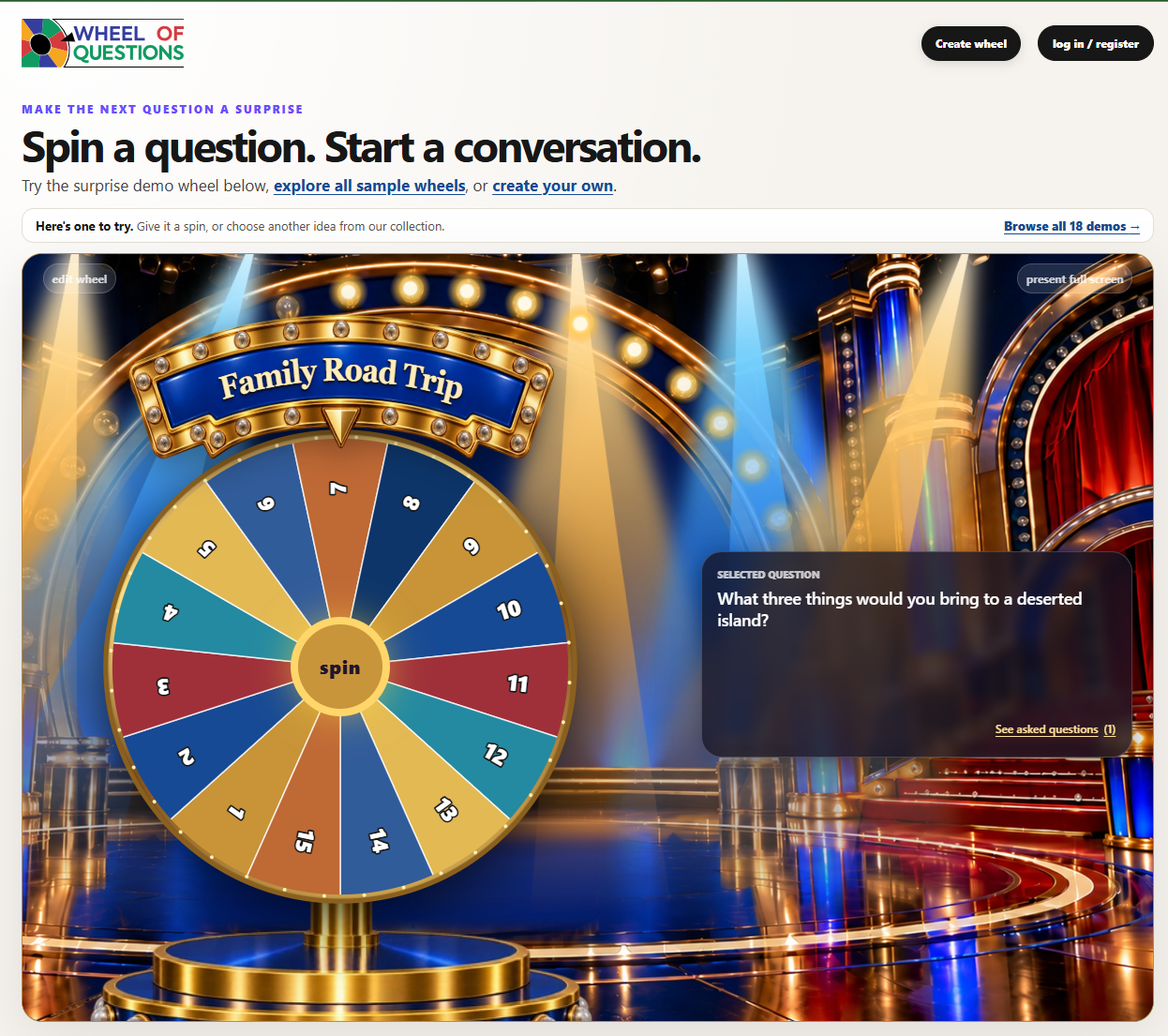
So here it is, resurrected from the half bakery: Wheel of Questions 2.0. Pick an example and spin it. Then make your own. Paste in a list of questions and you’re ready to go, even without an account.

Of course, I had the dreaded installed base. I couldn’t bulldoze everyone’s wheels and claim eminent domain. Existing accounts, questions, and shared links had to keep working while I rebuilt the experience around them.

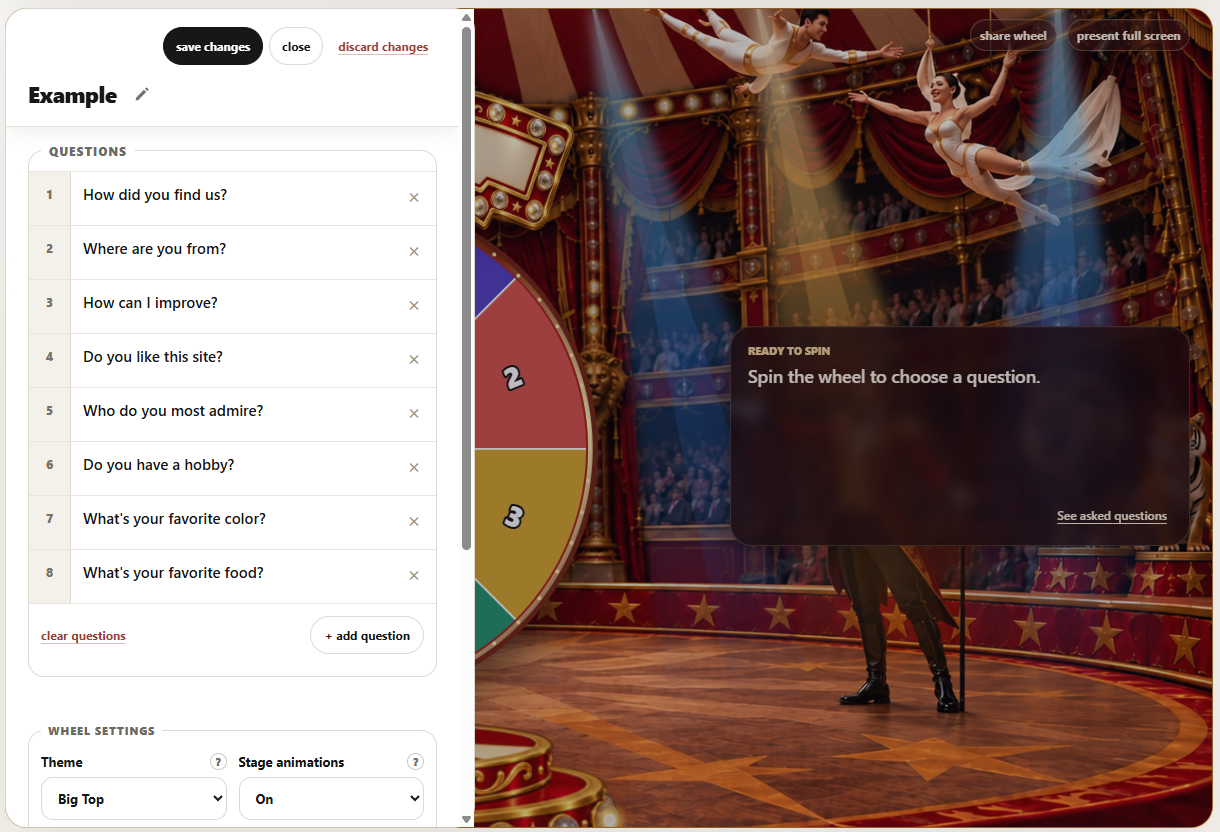
Once that was working, I wanted the spin to feel like an event. One stage became several, with artwork, a marquee, and lights that move around the wheel. I built a theme editor so I could position the pieces and tune the lighting myself. That’s how I ended up spending part of the week adjusting stage lighting for a spinning wheel.

I spent about 19 hours working with AI over the course of the week. The site is much closer to the thing I imagined, though my list of things to improve is still growing. For now, I want to see what happens when other people use it.

Give the wheel a spin, and please leave me a note in the suggestion box. Tell me what worked, what confused you, or what broke. I especially want to know how it feels to experience your first wheel.

Tomorrow is a new week, and a new project. Stay tuned!

Wk 1 – Update 3

One good stage isn’t enough.

The game show theme was working. Now I had to figure out how to make another one without rebuilding the whole production.

I want people to be able to pick a fun wheel, add their questions, and use it. Most people have a class or a meeting to run. They do not have an afternoon set aside for stage design.

That pushed me to think about the parts we could reuse: the background, base, marquee, wheel placement, and lighting. The next theme should need new artwork and some adjustments in the editor, not another pile of special-case code. I’m trying to make future themes easier to build, and maybe future projects too.

Then there was the marquee. A short title looked stranded in the middle. A long one tried to leave the sign entirely. We made the text follow the curve, measured how much room the actual letters needed, and let longer titles split across two lines. Fonts, spacing, and screen size all had a vote. I spent more time negotiating with this sign than I expected.

The less glamorous work mattered just as much. Adding and editing questions needed to be quick, and the wheel needed to behave sensibly as questions were selected.

I also put the build version in the footer. We’re packaging each release and uploading it manually for now; we haven’t connected the project to source control yet. Seeing the version on the site gives me a quick answer to a very practical question: Did I upload the build I think I uploaded?

It’s a lot of attention for details people may never notice. That’s usually when the details are doing their job.

While I am amazed at how much I could accomplish so far, the PM in me wants more… I don’t have time for more right now. I have plans. Things to do this weekend. At least there isn’t a Michigan football game tomorrow!

Wk 1 – Update 2

A spinning pie chart needs a better stage.

We added themes to Wheel of Questions. Users could change the colors, adjust the look and feel, and give their wheel a little personality.

It felt a bit like giving a kid a box of broken remnant crayons. Plenty of choices, but the materials weren’t doing anyone any favors.

Underneath it all, we still had a spinning pie chart with some pizzazz around the edges.

For those few seconds when the wheel is spinning, everyone in the room should be watching. I want a little anticipation. Something that feels like an event. Changing the colors wasn’t going to get us there.

We needed better design.

This is where AI’s image generation abilities became particularly useful. As previously established, I AM NOT A GRAPHIC DESIGNER. But I can describe what I’m imagining, react to what comes back, and keep asking for changes. I am persistent!

Our first attempt was a game show set: an over the top dramatic stage, lights, and room in the center for the wheel. No contestants. We already have an audience on the other side of the screen.

Originally, the base was part of the background image, and the title just floated above the wheel. It looked promising at the right screen size. But the base belonged to the background while the wheel moved and resized with the page. They weren’t necessarily going to stay attached. And the floating title needed somewhere to live.

So we separated the base from the background and created a marquee for the title. The background established the setting, while the base and marquee moved with the wheel as a single composition. The wheel finally had something to stand on, and its title had a proper home.

Keeping those pieces separate meant we could position them around the actual working wheel and put real, changeable text on the sign. A beautiful picture of a wheel would have been considerably easier. Unfortunately, it wouldn’t spin.

Getting those pieces to line up was painful. Move the marquee down. Move the wheel up. Show more of the base. Now the title doesn’t fit. Something would finally look right on my desktop, then I’d resize the window or go full screen and discover that the pieces had developed independent ambitions.

Responsive web design is a lovely concept until you’re trying to keep a wheel attached to its own pedestal, and have a marquee stay where you want it to.

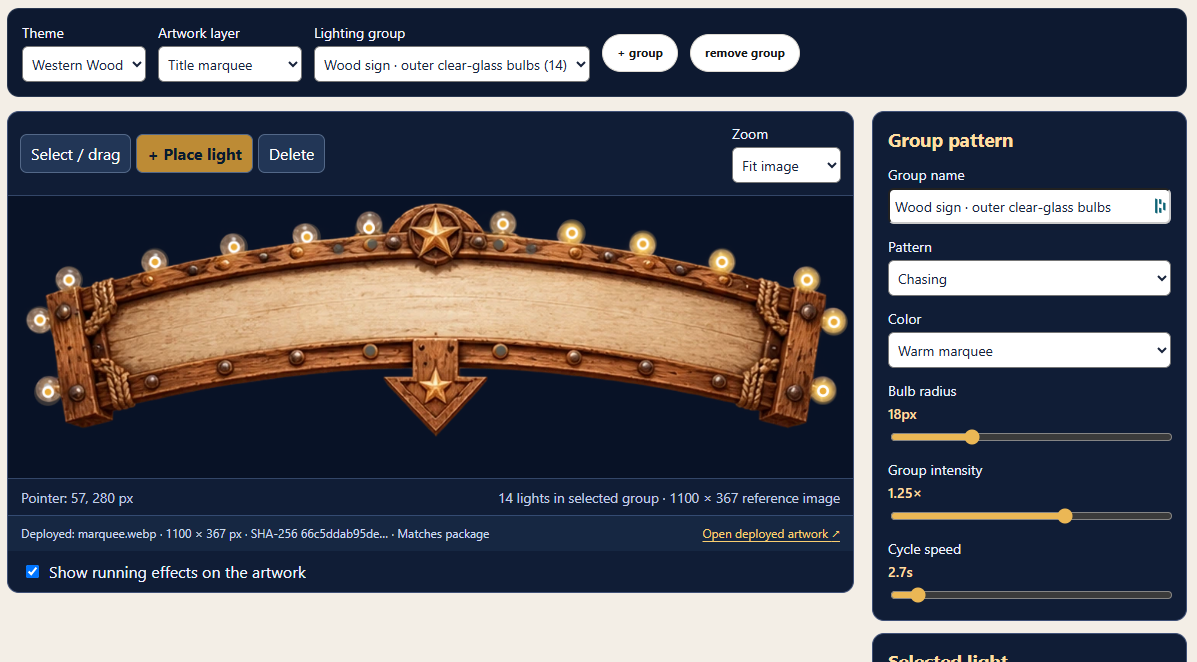
Eventually, we put those positioning and spacing settings into a theme editor. I could adjust the layout myself without another code change and upload every time something needed to move a few pixels.

The result was a BIG improvement. The wheel finally looked like it belonged somewhere.

But it still wasn’t a magical moment. The lights in the picture looked like lights. They didn’t actually do anything. Even “marching ants” would add life to a still screen.

I kept thinking about the way Ken Burns brings still photographs to life in his documentaries using the Ken Burns effect. A slow pan or zoom guides your attention and makes a motionless image feel like part of an unfolding story. That became an inspiration: we already had the artwork. Could we bring it to life through movement and light?

Our approach was to add animated lighting overlays. The picture stays still, but the light moves. It’s related to techniques like cinemagraphs, where selected movement makes an otherwise still scene feel alive. I’m not quite sure if this concept is novel enough to be named the “Streeter effect,” but we’re going to run with it until a lighting designer or patent attorney objects.

We added two kinds of lights to the editor. Bulbs could sit over the lights painted into the artwork, glow, pulse, or chase in groups. Moving spotlights could cast beams across the scene and sweep around the wheel.

I could place them directly over the images, change their position and intensity, and adjust their motion effects. Preview, tweak, try again. All without shipping more code.

That made a spectacular difference.

The stage suddenly had energy. The bulbs and sweeping beams gave the audience something to watch while the wheel spun. The artwork hadn’t changed, but the experience had. It finally felt like an event.

Wk 1 – Update 1

It spins. That’s a start.

The first version of Wheel of Questions 2.0 is working. I have something to show the class, although I’m keeping my hand down for now.

My first goal was to replace the old site without losing what people had already created. Existing accounts, saved wheels, questions, and shared links needed to survive. Starting over is considerably less impressive when everyone else has to start over too.

That part worked. The site still runs on PHP and MySQL, using the existing database, but the experience around it has been rebuilt.

The biggest change is the wheel itself. We replaced Winwheel.js, the third-party library I used in my original attempt, with our own wheel renderer. That also removed the supporting animation library and other JavaScript dependencies. I can now ask for the wheel to behave differently without first negotiating with someone else’s code.

And we finally got the damn text to stop overflowing the wheel. Long questions don’t politely shorten themselves to fit inside a slice of someone else’s code. The new renderer shortens labels or uses numbers when things get crowded, then shows the full question when it’s selected. You can actually read it without watching half a sentence escape over the edge.

Digging through the original version also uncovered a bug where I was asking PHP to clean up the text of a database query instead of its results. Apparently, those are different things. PHP had strong feelings about it.

There’s another useful change: visitors can create questions and spin without making an account first. Registration can wait until they have something worth saving.

But getting the site working hasn’t solved the whole problem. Question management still needs attention. Entering, changing, and organizing a list should feel effortless, especially for a teacher getting ready for class or someone preparing a team meeting.

That was part of what sent CeeCee back to Wheel of Names the first time. A new wheel won’t fix a frustrating workflow.

So, the first pass got the site running and cut the cord to the old library. Next comes making it something people actually enjoy using.

The wheel spins. Now I need to make the rest of it worth the trip.